Timer & Countdown for Streams and Websites
Create customizable timers and countdowns for Twitch Streams, OBS or your website. With remote control you manage everything from the browser - without code changes. Perfect for stream starts, events and marketing campaigns.
What do you want to use timers for?
Choose your use case and discover our features
Seamless integration with all major platforms
Features
Flexible features for your timers & countdowns
Discover versatile features that offer maximum flexibility for streams and websites. Create, manage, and control your countdowns in real-time, customize them to your liking, and easily integrate them into your existing systems
Timer library for all use cases
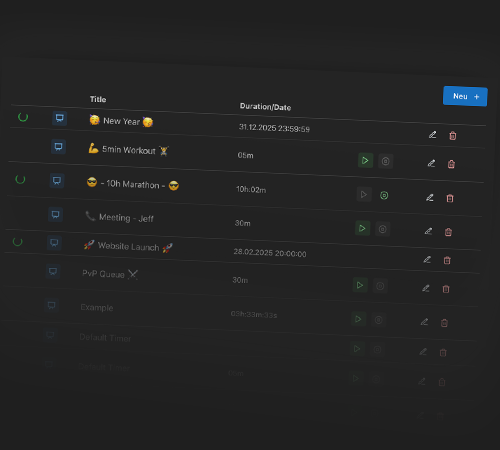
Save your timers and reuse them across all your streams and campaigns. Perfect for regular streams, events or website actions — create once, use everywhere. Your timer library keeps everything organized so you can start any saved countdown with just one click, without reconfiguring anything.
With a click on the timer, you can start or stop it directly.
Remote control from the browser
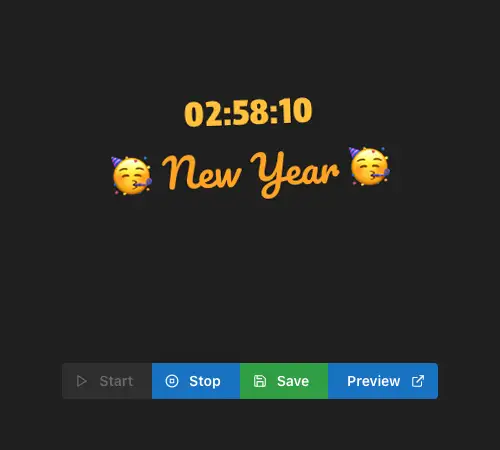
Control your timers in real-time — whether in stream or on your website. Start, stop or pause directly from the browser, without code changes. No need to touch OBS or your website again — the timer responds instantly from any device, perfect for live events and dynamic marketing campaigns.
Individual design for every use
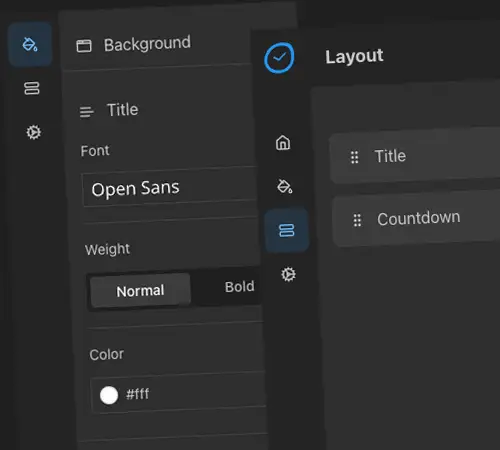
Customize colors, fonts and sizes to match your brand or stream identity. Your timer fits perfectly with your stream design or your website layout. Choose from multiple font styles, background options and display formats to create a countdown that looks exactly the way you want.
Browser Source & iFrame integration
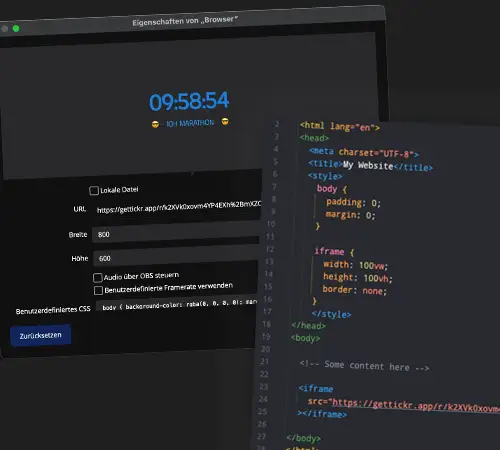
For streamers: add your timer as a Browser Source in OBS — paste the link once and never change it again. For websites: embed with a single iFrame code in any page builder or CMS. One solution, two integration methods — simple, reliable, and compatible with OBS, Streamlabs, WordPress, Shopify, and more.
Everything you need for your timers
From stream overlays to website integrations — gettickr.app gives you all the tools to create, manage, and control your countdowns with ease.
Timer with duration
Create timers for stream breaks, sales promotions or time-limited events. Set hours, minutes and seconds precisely
Countdown to date
Count down to stream events or product launches. Plan ahead with countdowns to a specific date and time
Timer management
Manage all your timers centrally. For streamers: Multiple overlays. For websites: Different campaigns - all in one place
Remote control
Control timers from the browser - without changing OBS link or adjusting website code. Real flexibility for both use cases
Multi-platform support
OBS, Streamlabs, WordPress, Shopify, Wix - integrate your timers everywhere. One solution for all platforms
No installation required
Browser-based for streamers and website operators. Ready to use immediately without downloads or complicated setups
Frequently Asked Questions
Everything you need to know about gettickr.app — from getting started to advanced features.
Start now with your timers & countdowns
Choose the right package for your requirements. Whether for streaming, websites or both - we have the right offer for you