Professional Countdowns for Your Website
Create appealing countdown timers for your websites. Perfect for product launches, events, or limited time offers - increase your website's conversion with dynamic countdown solutions
Easy Integration into All Website Systems
Features
Countless Possibilities for Your Website Countdowns
Discover powerful features for maximum flexibility on your website. Easily create and manage your countdown timers, customize them to your design, and increase interaction with your visitors
Your Countdown Library
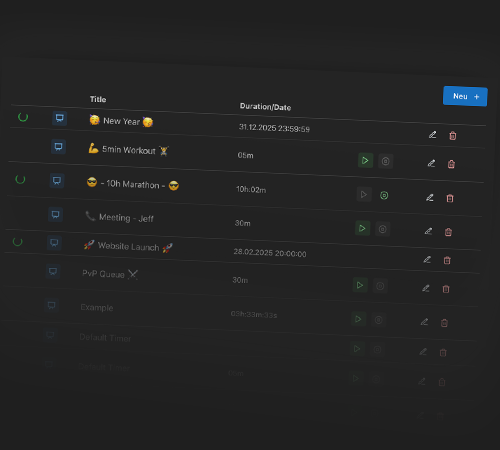
Save all your website countdown timers in one central place and access them at any time. Perfect for regular promotions, seasonal offers, or recurring events on your website. You save time because each timer only needs to be configured once – and can be reused as many times as you like. All changes are saved instantly, so your team always works with up-to-date timers.
With a click on the timer, you can start or stop it directly.
Control Your Countdowns in Real-Time
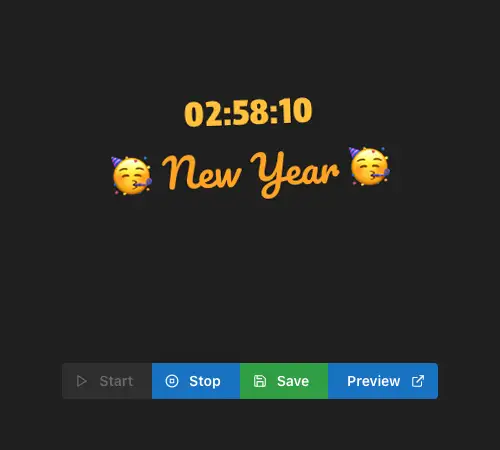
With real-time remote control, you have full control over all active website countdown timers at any time. Start, stop, or pause countdowns directly from your browser – without reloading the page or logging into your CMS. Ideal for live events, flash sales, or time-critical marketing campaigns where every second counts. Changes are instantly applied to all websites where your timer is embedded.
Perfectly Adapted to Your Website Design
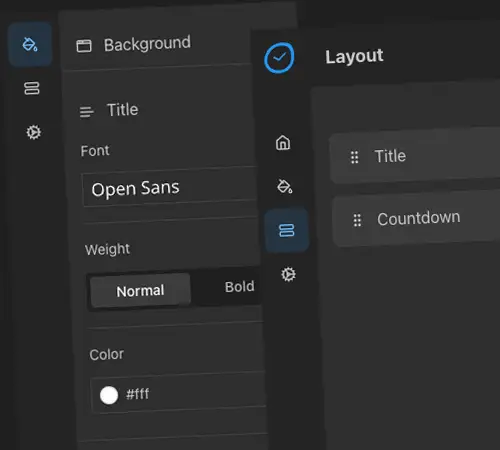
Design every countdown timer to match your corporate identity – from colors and fonts to style presets and layouts. The live preview shows you every change instantly before you embed the timer. This way it blends seamlessly into your website design and reinforces your visitors' trust. Whether minimalist or expressive – you decide the look.
Seamless Integration into Your Website
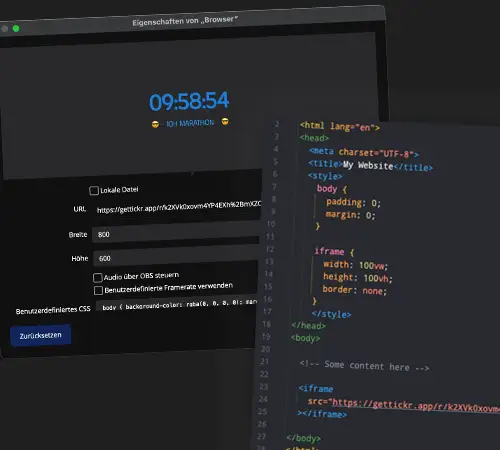
Embed your countdown timer into any website with a single iFrame code – no technical knowledge required. gettickr.app is compatible with all major CMS like WordPress, Shopify, Wix, and Squarespace as well as self-hosted websites. The iFrame scales automatically and adapts to different screen sizes. In less than five minutes, your countdown timer for your website is live and visible to your visitors.
Powerful Features for Your Website Countdown Timer
gettickr.app gives you everything you need to create and embed professional website countdown timers. Whether you use WordPress, Shopify, Wix, or Squarespace – our iFrame solution works with any CMS.
Event Timer
Create countdowns for sales, product launches, or limited offers with individual titles
Time-Based Countdowns
Set precise timers for flash sales, time-limited discounts, or special offers on your website
Date Countdown
Plan website events in advance with countdowns to a specific date - perfect for launches or sales campaigns
Countdown Management
Manage all your website countdowns clearly in a central dashboard.
Use in Email Mailings
Integrate your countdown timers into newsletters and marketing emails - perfect for time-limited email campaigns
Browser-Based Solution
No installation needed - use the service directly from your browser for maximum compatibility.
Frequently Asked Questions About Website Countdown Timers
Find answers to the most important questions about integrating a countdown timer into your website
Increase Your Website's Conversion with Dynamic Countdowns
Choose the right package for your website. Whether it's a landing page, online shop, or corporate website - we have the right offer for you