Twitch Countdown Timer for OBS & Streamlabs
Create your perfect countdown timer for Twitch. Embed as browser source in OBS - with remote control you manage your countdown during the stream without changing the OBS link. Ideal for stream starts, breaks and events.
Integrate your countdowns into all common stream tools
Remote Control Features
Countdown to stream start or event
Never change your OBS link again thanks to remote control! Control your Twitch countdown timer live during the stream directly from your browser — from any device, without interrupting the broadcast. Whether you need a stream start countdown, a break timer, or an event countdown: tickr adapts on the fly. Compatible with OBS Studio, Streamlabs, and XSplit — add the browser source URL once and you are set.
Your countdown library
Save all your stream countdowns and reuse them across every broadcast. Perfect for your regular streams, events or standard situations like Starting Soon and Stream Breaks. Your entire countdown library is just one click away — no need to reconfigure anything before going live.
With a click on the timer, you can start or stop it directly.
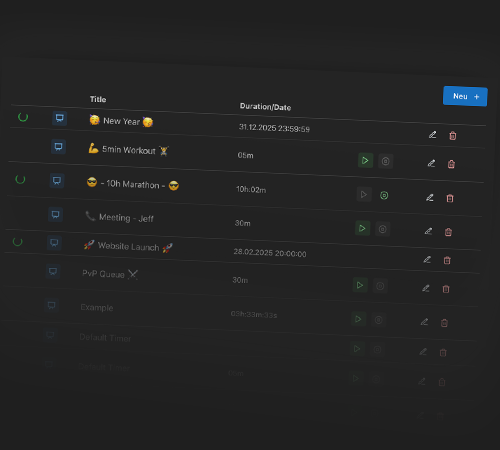
Remote control for your countdown
Control your Twitch countdown during the stream - start, stop or pause the countdown timer directly from the browser, without opening OBS or Streamlabs. Perfect for flexible stream design with your countdown overlay — and ideal for dual-streamer setups where one person runs the stream and another controls the timer.
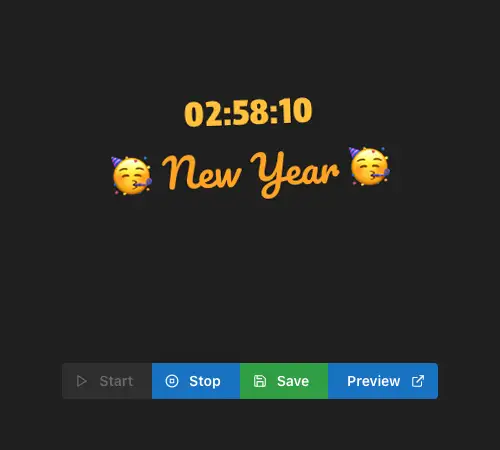
Individual countdown for your stream
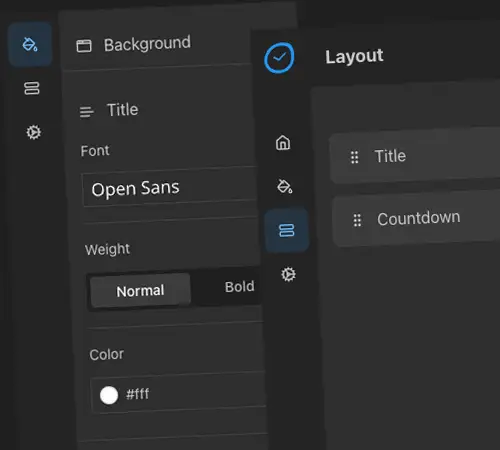
Design your Twitch countdown timer as you wish. Customize colors, fonts and sizes - your countdown fits perfectly with your stream design and your Twitch identity.
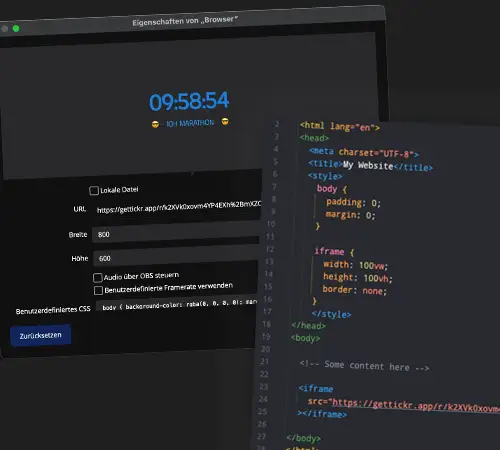
Browser Source countdown for OBS
Add your countdown timer as browser source in OBS Studio, Streamlabs, or XSplit. Easy integration, reliable performance - your Twitch countdown is live in seconds. No plugins or downloads needed: just copy the browser source URL and paste it into your streaming tool of choice.
Powerful Features for Your Twitch Stream
From simple duration timers to event countdowns with remote control — tickr gives you everything you need for a professional stream overlay, right in the browser.
Event countdown timer
Create countdown timers for subscriber goals, gaming events or community actions. Your event countdown counts down to the big moment - perfect for exciting stream moments.
Countdown with duration
Set your countdown timer with precise hours, minutes and seconds. Ideal for stream breaks, challenges or speedruns - your countdown runs exactly as long as you want.
Countdown to specific date
Plan events ahead with a countdown to a specific date. Perfect for stream specials or community events - your countdown shows how long until the event.
Countdown library
Manage all your Twitch countdown timers in a clear library. Start any saved countdown with one click - no reconfiguration needed.
Countdown on multiple PCs
Access your countdown timers from your streaming and gaming PC. Control your Twitch countdown from any device - perfect for dual-PC setups.
Countdown without installation
Use your Twitch countdown timer directly in the browser - no software installation needed. Quick setup, ready to use immediately for your stream.
Frequently asked questions about Twitch countdown
Here you will find answers to the most important questions about the Twitch countdown timer for OBS
Start now with your Twitch countdown timer
Create your first countdown timer for OBS for free. Perfect for stream starts, events and breaks - with remote control during the stream.